
Pipeline Attendant
Your always-on CI/CD security guard.
Pipeline Attendant plugs into your existing GitLab pipelines and continuously audits every job, script, and dependency. It flags misconfigurations, secret leaks, and lint violations, then proposes auto-remediation you can apply with a single click.
Test drive the Pipeline Attendant now!
Simply add the following to your GitLab CI file to get scanning.
include:
  - component: gitlab.com/arrcade-foss/pipeline-attendant/-/raw/stable/sast-ci.gitlab-ci.yml
    inputs:
      PIPELINE_ATTENDANT_RULE_DIR: "/opt/arr/pipeline-attendant/rules"
      PIPELINE_ATTENDANT_RULES_FILE: "/opt/arr/pipeline-attendant/rules.yml"
PIPELINE_ATTENDANT_CI_FILE: ".gitlab-ci.yml"- Pipeline Audit
- Secret Scanning
- Auto Remediation
- Lint Enforcement
Watch the Pipeline Attendant scan a repository in your CI and surface prioritized findings — automatically remediating what it safely can.
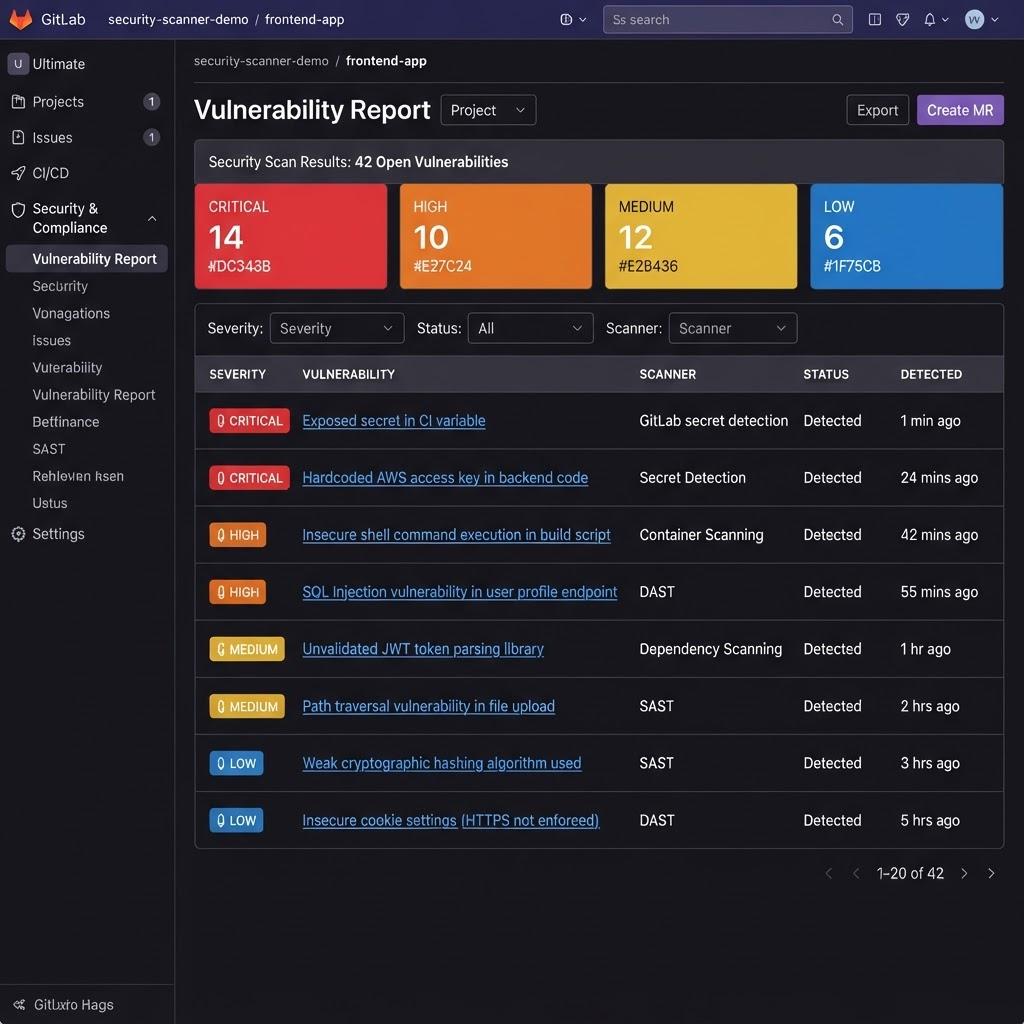
Results land in the GitLab Vulnerability Dashboard.
Pipeline Attendant reports its findings as native CI security results, so every issue it detects shows up right alongside your other scanners in the GitLab Vulnerability Dashboard — with severity, description, and remediation guidance. No new tab, no separate tool to check.
Ship it as a skill for Claude and other AI agents.
Package Pipeline Attendant as an agent skill so Claude (or any tool-calling model) can scaffold custom GitLab pipelines and validate them before you ever run them. The agent drafts a pipeline, runs it through Pipeline Attendant, and iterates on the findings — so what it hands back is already policy-compliant and secret-safe.
- The agent self-corrects against real findings, not guesses.
- Every generated pipeline is scanned before it reaches your repo.
- Works with any tool-calling model — Claude, GPT, or your own.
---
name: pipeline-attendant
description: >-
  Author and harden GitLab CI pipelines. Use whenever the user asks to
  create, edit, or review a .gitlab-ci.yml so the result is validated
  against Pipeline Attendant before it is returned.
---

# Pipeline Attendant

When generating or modifying a pipeline:

1. Draft the .gitlab-ci.yml for the user's request.
2. Run the Pipeline Attendant component against the draft:
   `pipeline-attendant scan --ci-file .gitlab-ci.yml --rules ./rules.yml`
3. Read the JSON findings. For each Critical or High result,
   rewrite the offending job and re-scan until it is clean.
4. Return the hardened pipeline plus a short summary of what was fixed.Frequently asked questions
SAST scans your application source code for vulnerabilities. Pipeline Attendant scans the pipeline itself. Your CI/CD configuration is user-supplied code that runs with privileged access to tokens, secrets, and infrastructure — and it is a separate attack surface from the app you are shipping.
Ready to try Pipeline Attendant?
Tell us about your stack and we'll get you set up with early access.